✦ Free Tool — No Account Required

Free Passport Photo Generator
— Instant & Compliant

person taking professional passport photo for official documents — passport photo generator | ProShoot.io
Last Updated: June 2026 · 14 min read

Upload your photo and get a perfectly formatted passport or visa photo in seconds. Meets official requirements for 200+ countries. Free, no watermarks, no signup.

🇺🇸 USA 2×2" 🇬🇧 UK 35×45mm 🇨🇦 Canada 50×70mm 🇦🇺 Australia 35×45mm 🇪🇺 Schengen 35×45mm 🇮🇳 India 51×51mm 🇦🇪 UAE 40×60mm 🇯🇵 Japan 35×45mm + 190 more
📷
Passport Photo Generator
Upload your photo — get a compliant passport photo for any country in seconds.
Open Full Screen ↗
200+
Countries Supported
2M+
Photos Generated
100%
Free, No Watermarks
<60s
Average Time to Download

3 Steps to a Perfect Passport Photo

No photography experience needed. Works on any device — phone, tablet, or desktop.

1

Upload Your Photo

Take a selfie or upload an existing photo from your phone or computer. We support JPG, PNG, and HEIC formats.

2

Select Your Country

Choose your destination country from 200+ options. Our tool automatically applies the correct dimensions, background, and biometric standards.

3

Download Instantly

Get your compliant passport photo as a high-resolution digital file. Print at home or at any photo lab — or upload directly for online applications.

Passport Photo Sizes by Country

Our tool automatically formats your photo to the exact specifications required by each country's passport authority.

🇺🇸
United States
2×2 inches (51×51mm)
White/off-white background · Neutral expression · No glasses
🇬🇧
United Kingdom
35×45mm
Light grey/cream background · Neutral expression · Eyes open
🇨🇦
Canada
50×70mm
White/light background · Head 31–36mm · Taken within 6 months
🇦🇺
Australia
35×45mm
Light background · Head between 32–36mm · No glasses
🇪🇺
Schengen / EU
35×45mm
Light plain background · Head 70–80% of frame · Neutral expression
🇮🇳
India
51×51mm (2×2")
White background · Clear face · No tinted glasses
🇦🇪
UAE
40×60mm
White background · Full face · Recent photo within 6 months
🇯🇵
Japan
35×45mm
Plain light background · No shadows · Taken within 6 months
🇨🇳
China
33×48mm
White background · Ears visible · Neutral expression
🇧🇷
Brazil
30×40mm
White background · Full face · Taken within 6 months
🇰🇷
South Korea
35×45mm
White background · No glasses · Neutral expression
🇸🇦
Saudi Arabia
40×60mm
White background · Full face visible · Recent photo

Get Your Passport Photo Right — By Country

Each country has unique rules. Select your country for a dedicated guide with the exact specs, step-by-step instructions, and the free tool pre-configured for your format.

🇺🇸
United States
2×2 inches (51×51mm)
State Dept specs, online renewal digital requirements, CVS/Walgreens printing guide
Open US Guide →
🇬🇧
United Kingdom
35×45mm
HMPO specs, light grey background rule, countersignature requirements
Open UK Guide →
🇨🇦
Canada
50×70mm (world's largest)
IRCC specs, guarantor requirements, digital submission guide
Open Canada Guide →
🇦🇺
Australia
35×45mm
Certifier requirements, Australia Post guide, head size rules
Open Australia Guide →
🇪🇺
Schengen / EU
35×45mm (27 countries)
ICAO biometric standards, VFS Global guide, all 27 Schengen countries covered
Open Schengen Guide →
🇮🇳
India
51×51mm (2×2")
Passport Seva Portal guide, no-white-clothing rule, OCI/diaspora specs
Open India Guide →
🇦🇪
UAE
40×60mm
Emirates ID, Golden Visa, GDRFA/ICA portal submission, typing centre guide
Open UAE Guide →
🇯🇵
Japan
35×45mm
Ward office submission, My Number Card, residence card, Japan-specific hair rules
Open Japan Guide →
🇨🇳
China
33×48mm (unique format)
Chinese passport & visa photo specs, embassy/consulate abroad guide, e-passport renewal
Open China Guide →
View All Country Requirements →

What Makes a Valid Passport Photo?

Our tool checks and applies all of these automatically when you upload your photo.

📐

Correct Dimensions

Each country has specific size requirements. The US requires exactly 2×2 inches; the UK and EU require 35×45mm. Our tool handles all formats.

🧍

Head Size & Position

Your head must occupy 70–80% of the frame, centered, facing directly forward. Eyes must be fully open and visible.

🤍

Background Color

Most countries require a plain white or very light grey background with no shadows, patterns, or other objects visible.

😐

Neutral Expression

Mouth closed, neutral or slight natural expression. No squinting, smiling with teeth, or tilting the head.

👓

No Glasses

Since 2016, glasses are no longer permitted in US passport photos. Most other countries have adopted the same rule.

💡

Even Lighting

No shadows on your face or background. Even, diffused light from the front. Avoid harsh flash or sunlight from one side.

📅

Recent Photo

Most countries require your photo to have been taken within the past 6 months to reflect your current appearance.

🖨️

Print Quality

For printed submissions, use glossy photo paper at 300 DPI or higher. For digital submissions, upload the original file — do not screenshot or re-scan.

Passport Photo Requirements by Country — Complete 2026 Guide

Passport photo standards are set by each country's immigration authority and are updated periodically. Here is the detailed 2026 guide for the most commonly requested countries, including key notes on background color, head size, recency requirements, and any notable 2026 rule updates.

CountrySizeBackgroundValidityKey Notes
🇺🇸 USA2×2 in (51×51mm)White or off-white6 monthsHead 1–1.38" chin to crown. No glasses. Neutral expression. 300 DPI print.
🇬🇧 UK35×45mmLight grey or cream6 monthsHead 29–34mm. Facing forward. Plain background, no pattern.
🇨🇦 Canada50×70mmWhite or off-white6 monthsHead 31–36mm. Photo must be taken by a professional. Both eyes open.
🇦🇺 Australia35×45mmWhite or light grey6 monthsHead 32–36mm. No glasses since 2016. Plain background required.
🇪🇺 Schengen/EU35×45mmLight plain (white preferred)6 monthsICAO biometric standard. Head 70–80% of frame. Neutral expression.
🇮🇳 India3.5×4.5cm (35×45mm)White6 monthsFull face, no tinted glasses. Matt or semi-matt finish. Eyes looking forward.
🇦🇪 UAE40×55mmWhite6 monthsFull face with ears visible. Neutral expression. Recent photo required.
🇯🇵 Japan35×45mmWhite or light6 monthsNo glasses. Mouth closed. No hat or head covering (except religious). No shadow.
🇨🇳 China33×48mmWhite6 monthsEars must be visible. Neutral expression. Biometric ICAO standard.
🇧🇷 Brazil50×70mmWhite6 monthsFull frontal face. Neutral expression. Acceptable lighting. No filters.

2026 Update: The United States began accepting digitally-submitted passport renewal photos (via the State Department's online renewal system) in 2024. The format requirements remain identical to physical submissions — 2×2 inches, JPEG format, under 11MB, minimum 600×600 pixels. Our tool exports in the correct format for both digital submission and physical printing.

Visa Photos vs. Passport Photos

In most cases, visa photo requirements are identical to passport requirements for the same country. However, some countries specify different sizes for specific visa types — particularly work visas, student visas, and tourist visa on arrival programs. India's e-Visa, for example, requires a 2×2 inch (same as US passport size) JPEG file uploaded digitally. The UAE's visa applications specify a 40×55mm print. When in doubt, check the specific visa application portal for your destination country — our tool covers the most common formats for over 200 countries.

Also see our detailed guide at /passport-photo/ for country-specific step-by-step guidance, rejection appeals, and printing instructions.

10 Most Common Passport Photo Rejection Reasons

Passport photo rejections are frustrating and costly — they delay your application and force you to retake and resubmit. Here are the most common reasons passport photos are rejected and exactly how to fix each one.

1. Shadows on Face or Background

The most common rejection. Caused by shooting too close to a wall (background shadows) or using harsh directional lighting (face shadows). Fix: shoot in natural window light facing the light source, or use a ring light 12+ inches from your face. Move 3+ feet away from any background.

2. Glasses (Now Banned in Most Countries)

Since 2016, the US, UK, Australia, EU Schengen countries, Canada, and most others have banned glasses in passport photos due to glare and biometric interference. Remove all glasses — even non-reflective clear glasses are rejected. There is a narrow medical exception in some countries requiring an ophthalmologist letter.

3. Hair Covering Face

Hair covering the forehead, eyebrows, or sides of the face can trigger rejection. Pull hair back or tuck it behind your ears. Loose strands across your face are not acceptable. Bangs that cover the eyebrow area are specifically called out in US and UK guidelines.

4. Non-Neutral Expression

Smiling (especially with teeth), squinting, raising eyebrows, or any expression beyond neutral relaxed. Mouth should be closed. Eyes fully open, looking directly at the camera. A very slight natural smile is acceptable in some countries (Canada, Australia) but not recommended as it may still be rejected.

5. Improper Background Color

Non-white or non-light grey backgrounds are rejected. Off-white walls often pass; cream-colored walls sometimes fail for strict systems. Blue, green (including chroma-key green), patterned, or dark backgrounds are always rejected. A plain white wall or white foam board works reliably.

6. Head Too Small or Too Large in Frame

Head must occupy 70–80% of the photo frame height. The most common error is leaving too much headroom or photographing from too far away. Use our tool's crop adjustment to ensure the head occupies the correct proportion of the frame for your destination country.

7. Photo Older Than 6 Months

Most countries require photos taken within the past 6 months. For renewals, if you have significantly changed appearance (major weight change, facial surgery, facial hair significantly changed) you may be required to submit a new photo even if the existing one is less than 6 months old.

8. Incorrect Printed Dimensions

Printing at the wrong size is a surprisingly common error. A US 2×2 inch passport photo printed at 50×70mm (Canada's size) will be rejected. Always verify you are selecting the correct country in our tool before downloading, and confirm the print dimensions with your print provider before submitting.

9. Digital File Over/Under Size Limit

For digital submissions (US online renewal, India e-Visa, etc.), file size must fall within specified limits — typically 100KB to 10MB. Photos taken on modern phones are often too large (15-40MB). Our tool automatically compresses your file to meet digital submission requirements while maintaining visual quality.

10. Clothing Too Similar to Background

Wearing a white shirt against a white background can cause the photo processing system to fail to identify the face boundary correctly. Wear a contrasting colored top — dark blue, black, or any solid color that contrasts with the white or light grey background works well.

How to Take a Perfect Passport Photo at Home

Taking your own passport photo at home is entirely feasible — smartphones now have camera quality that exceeds what most consumer photo booths produce. The key is controlling the three variables that cause most home photos to fail: lighting, background, and framing.

Equipment You Need

You do not need professional photography equipment. A smartphone with a 12MP+ camera (any iPhone from iPhone X onward, any modern Android flagship) is sufficient. The best lighting setup for home passport photos is a large north-facing window — position yourself facing the window directly so natural light illuminates your face evenly from the front. If natural light is not available or is casting shadows, a ring light ($20-$50 on Amazon) placed directly in front of you at face height produces excellent even lighting. Avoid overhead ceiling lights as the sole light source — they create shadows under the eyes and nose.

For background, a plain white wall works perfectly. If your wall is not white, tape a large sheet of white paper or a piece of white foam board to the wall. Ensure you stand at least 3 feet in front of the background to prevent shadows falling on it from behind you.

Posture, Expression, and Camera Settings

Sit or stand facing the camera directly — no angle, no tilting your head left or right. Eyes level with the camera, looking directly at the lens (not the screen). Keep your expression neutral: mouth closed, face relaxed, eyes fully open. Ask a friend to take the photo from about 4-6 feet away using your phone's rear camera (which has higher quality than the front camera in most phones). Use Portrait mode if available — it creates a shallow depth of field that helps separate your face from the background.

Using ProShoot's Generator to Crop Correctly

Once you have taken your photo, upload it to the ProShoot Passport Photo Generator. Select your destination country from the dropdown — the tool automatically applies the correct dimensions and head proportion requirements. Use the crop adjustment tool to ensure your head occupies the correct percentage of the frame. The tool will flag if the head size is too small or too large. Download the formatted file — it will be ready for both digital upload and physical printing.

Printing Options

For physical passport submissions, you need a printed photo at the correct physical dimensions. Options:

Passport Photo Questions Answered

What size is a US passport photo?
A US passport photo must be exactly 2×2 inches (51×51mm), with the head between 1 and 1.38 inches from the bottom of the chin to the top of the head. The background must be plain white or off-white with no shadows.
Can I take my own passport photo at home?
Yes. Use a smartphone in portrait mode against a plain white wall in good natural light. Upload it here and we'll resize, crop, and format it to meet official requirements for your country — no photo studio needed.
Is this passport photo generator really free?
Completely free. No account required, no watermarks, no hidden fees. Upload your photo and download the compliant result instantly.
Which countries are supported?
200+ countries including the US (2×2"), UK (35×45mm), Canada (50×70mm), Australia (35×45mm), all Schengen countries (35×45mm), India, UAE, China, Japan, South Korea, Brazil, Saudi Arabia, and more. Select your country in the tool and the correct format is applied automatically.
Can I use this for visa photos too?
Yes. The tool supports visa photo formats for most countries alongside passport photos. Select your destination country and the tool applies the correct visa photo dimensions and requirements.
How do I print my passport photo?
Download your photo and print at any local photo lab (Walgreens, CVS, Walmart, Costco), print shop, or at home on glossy photo paper at 300 DPI or higher. For online applications like the US passport renewal, upload the digital file directly.
Can I wear makeup in my passport photo?
Yes — everyday makeup is allowed in passport photos for all countries. Natural foundation, eyeliner, lipstick, and eyeshadow are all acceptable. Heavy contouring that significantly alters your face shape may potentially cause an automated biometric system to flag the photo, but this is rarely a practical issue with standard makeup.
What if my passport photo gets rejected?
If your passport photo is rejected, the issuing office will provide the specific rejection reason. Common causes include shadows, incorrect dimensions, photo older than 6 months, or glasses. Retake addressing the specific issue and resubmit. Using our tool helps ensure format compliance from the start, eliminating the most common technical rejection reasons.
How recent does my passport photo need to be?
Most countries require photos taken within the past 6 months. For renewals where your appearance has significantly changed — major weight change, facial surgery, removal of significant facial hair — you may need a new photo even for within-6-month submissions. When in doubt, use a recent photo.
Do I need a professional photographer for a passport photo?
Not anymore. This free tool handles all the technical requirements automatically. However, if you want a professionally taken passport or headshot photo, ProShoot.io connects you with 2,500+ verified photographers worldwide who can shoot and deliver same-day.
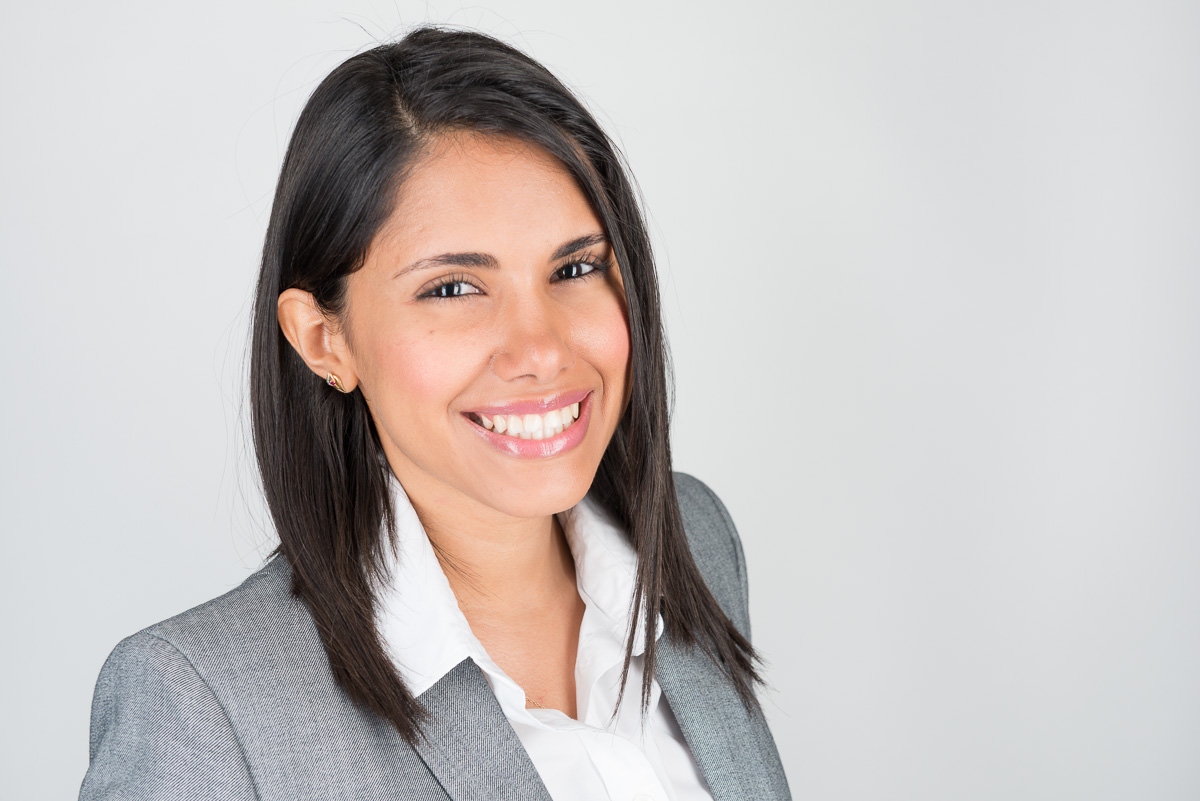
Need a Professional Headshot or ID Photo?

Our free tool handles the formatting — but if you need a professionally taken photo, ProShoot connects you with verified photographers in your city. Same-day availability, guaranteed quality.

Find a Photographer Near Me → Browse Photographers