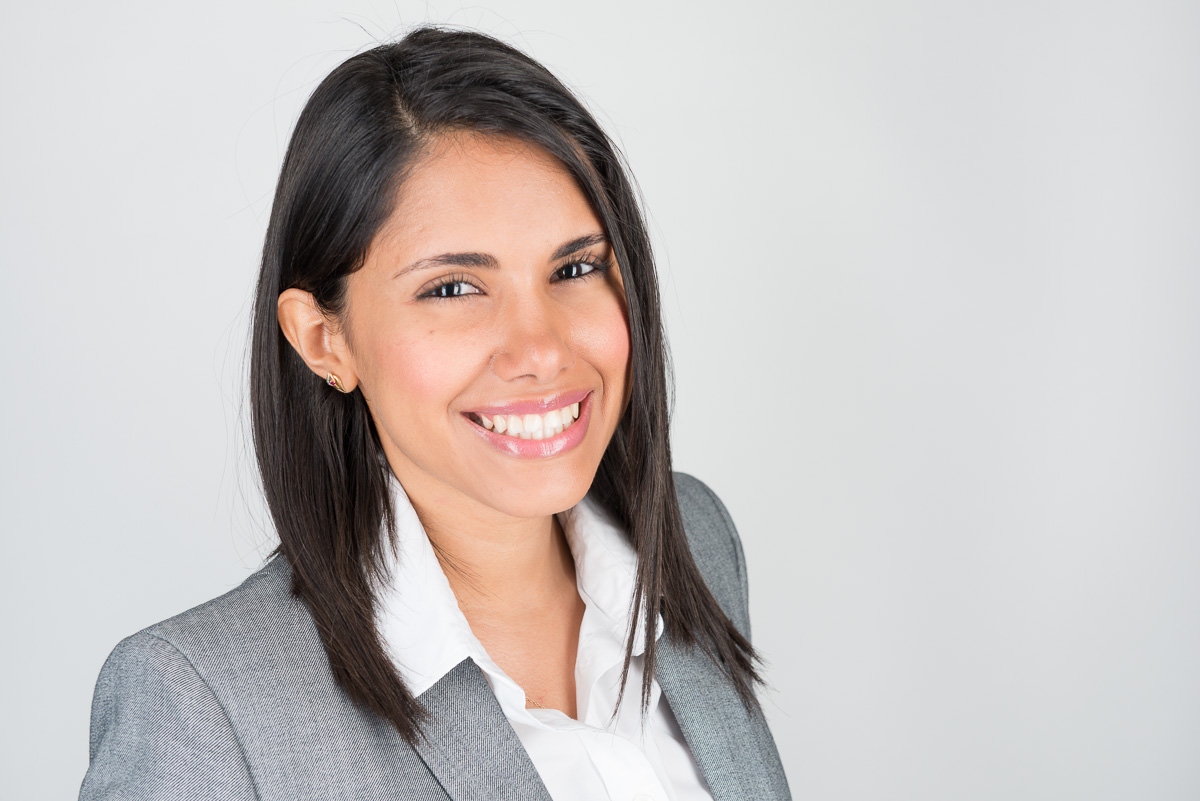
Generate a perfectly sized, compliant Australian passport photo in seconds. Meets all 2026 Department of Home Affairs specifications including correct dimensions, background, and head-size ratios. Instant download — no account required.
Four simple steps to a compliant 35×45mm photo ready for your passport application.
Use our embedded tool above to upload an existing photo or take a new one using your device camera. Ensure good lighting and a plain light background before capturing.
Our tool automatically detects your face and crops the image to the exact 35×45mm Australian passport specification, positioning your head at the correct height within the frame.
Preview the result to verify your head occupies 32–36mm of height, your eyes are open and clearly visible, your expression is neutral, and the background is plain and light-coloured.
Download your compliant photo as a high-resolution JPEG. Print two identical copies on matte photo paper. Take one copy to an authorised certifier before lodging your application.
Everything you need to know about the Department of Home Affairs photo specifications before your application.
The Australian Passport Office, operated by the Department of Home Affairs, enforces strict photographic standards for all passport applications. These requirements are based on international biometric standards and are designed to ensure accurate identity verification when you travel. Understanding these requirements before you take your photo will save you time and prevent costly re-applications.
The most critical specification is size: your photo must be exactly 35mm wide and 45mm tall. This is non-negotiable. Unlike some countries that accept a small range of sizes, Australia requires this exact dimension for all passport applications. Photos submitted with incorrect dimensions — even a millimetre off — will be returned.
Head height within the photo is equally important. Your head — measured from the top of your head (including hair, but excluding accessories like headbands) to the bottom of your chin — must measure between 32mm and 36mm. This means your head should occupy roughly 70–80% of the photo height. Photos where the head is too small or too large are among the most common rejection reasons.
| Requirement | Specification | Notes |
|---|---|---|
| Photo size | 35mm × 45mm | Exact — no tolerance |
| Head height | 32mm – 36mm | Top of head to chin |
| Background | Plain white or light grey | No patterns or shadows |
| Photo age | Within last 6 months | Must look like current appearance |
| Expression | Neutral, mouth closed | No smiling, no frowning |
| Eyes | Open, clearly visible, looking at camera | No squinting |
| Glasses | Not permitted | Since October 2015 |
| Head covering | Not permitted (medical/religious exceptions apply) | Must not obscure face |
| Focus & lighting | Sharp focus, evenly lit, no shadows on face or background | No red-eye |
| Print format | Two identical prints, colour, matte finish | Printed on photo paper |
| Digital | 300 dpi minimum, JPEG, sRGB colour space | For online applications |
| Certifier | Authorised professional must sign back of one photo | See certifier section |
For online passport applications through the Australian Passport Office website, you will upload a digital photo. The same physical specifications apply — 35×45mm at 300 dpi, sharp focus, correct head size — but you upload a JPEG file rather than a physical print. Even for digital submissions, you may be asked to provide a certified photo at a passport interview or when collecting your passport, so always have physical prints ready.
The Australian Passport Office process typically takes 3–6 weeks for standard applications and around 2 days for urgent applications (for an additional fee). During peak travel periods (school holidays, summer), processing times can extend. Your photo must comply with the specifications at the time of application — even if it was compliant when the application was lodged, a significant change in appearance during processing may require an updated photo.
For children under 18, the same photo requirements apply. Infants and young children often find it challenging to maintain a neutral expression and look directly at the camera — the Department of Home Affairs allows some flexibility for very young children regarding expression and eye direction, but the size and background requirements remain strict. A parent or guardian's hands may appear at the edge of the frame for infant photos, provided the background remains plain.
Understanding who can certify your photo and exactly what they must write.
Australia's passport photo certification requirement is one of the features that sets Australian applications apart from most other countries. For the majority of passport applications — including all first-time applications and applications for children — one of your two passport photos must be certified by an authorised person. This certifier confirms that the photo is a true and accurate likeness of you.
On the back of ONE photo, the certifier must write in pen (black or blue ink): "I certify this is a true likeness of [your full name]" — followed by their own full name, occupation, phone number, and signature. Pre-printed stickers or stamps are not acceptable. The writing must be clear and legible.
The certifier must be an Australian citizen or permanent resident, aged 18 or over, who has known you personally for at least 12 months. They cannot be a relative. Eligible professions include:
The full list of authorised certifiers is extensive and includes many other professional roles. If you are unsure whether a specific person qualifies, visit the Australian Passport Office website for the complete list. In practice, your local GP, pharmacist, or a staff member at Australia Post are the most convenient options.
What happens if you skip the certification? Your application will be returned or delayed. Passport offices process thousands of applications per week, and missing or non-compliant certification is one of the top reasons for application delays. Uncertified photos simply cannot be accepted, even if the photo itself is perfectly compliant in all other respects.
Online applications and the certifier requirement: For eligible applicants using the Smart Gate renewal system (adults renewing an adult passport for the first time through the online portal), the digital photo upload process may be handled differently, and a physical certifier may not be required if your identity can be through existing biometric data. However, this pathway is not available for all applicants, and you should always confirm the current requirements via the official Australian Passport Office website before assuming certification is not needed.
Avoid these mistakes to ensure your application is processed without delays.
The single most common reason for Australian passport application delays. If your application requires a certified photo (most do), submitting an uncertified photo will cause your application to be returned. Always double-check certification requirements before lodging.
Photos must be exactly 35×45mm. Photos printed at the wrong size — including 35×35mm (square format common in some countries), or 40×50mm — will be rejected. Use a printer with exact dimension control or a professional photo printing service.
Your head must measure 32–36mm from crown to chin. If you stand too far from the camera or too close, the head falls outside this range. Our tool automatically crops to the correct head ratio, eliminating this issue.
Shadows are a major technical rejection reason. Shadows on your face caused by poor lighting direction, or shadows on the background caused by standing too close to a wall, both disqualify a photo. Use two light sources or natural window light from the front.
Glasses have not been permitted in Australian passport photos since October 2015. This applies regardless of whether the glasses are prescription, non-prescription, or tinted. Remove glasses before every passport photo session.
Photos must have been taken within the 6 months preceding your application. Using an older photo — even one that looks like you — is not permitted. If your passport is due for renewal, plan to retake your photo within 6 months of your application date.
Your expression must be neutral with your mouth closed. Smiling, even slightly, may cause rejection. Open-mouth expressions are also not permitted. Look directly at the camera lens with a calm, natural expression.
Photos must be printed on proper photographic paper to a minimum of 300 dpi resolution. Inkjet printouts on standard copy paper, blurry photos, or photos with visible pixelation or grain will be rejected. Use a professional print service for physical prints.
How to capture a compliant photo at home using your smartphone or camera.
Taking a compliant passport photo at home is entirely possible with the right setup. The key is controlling your background and lighting — both of which are common failure points for home photos. Once your photo passes the technical requirements, you still need to get a physical print certified, so plan around your certifier's availability as well.
Find the plainest, lightest wall in your home. White is ideal, but off-white or light grey works too. Move at least 1.5 metres away from the wall before taking your photo — standing too close creates hard shadows on the background behind you.
Position yourself facing a window on a bright, overcast day. Overcast light is diffuse and shadow-free — direct sunlight creates harsh shadows and squinting. Avoid sitting directly under an overhead light, which casts downward shadows on your face.
Use your phone's rear camera (not selfie camera) for better resolution. Ask someone else to take the photo, or use a timer and tripod. Ensure HDR is off, portrait mode is off, and beauty/skin-smoothing filters are disabled — these can alter biometric features.
Upload your raw photo to the ProShoot passport photo tool above. Our AI-powered tool will detect your face, apply the correct 35×45mm crop with the right head-to-photo ratio, and prepare a print-ready file at 300 dpi — no manual cropping required.
Once you have printed your two 35×45mm photos, take them to your certifier. Many Australia Post outlets offer a combined photo printing and certification service, meaning a staff member can take the photo, print it, and certify it in one visit — saving you the back-and-forth. Priceline Pharmacy and other large pharmacies often offer the same service. If using a DIY photo, call ahead to confirm the certifier will certify a photo they did not take themselves — most authorised certifiers can certify any compliant photo as long as they can confirm your identity.
In-store options across Australia for printed and certified passport photos.
If you prefer a professional in-store option, there are several reliable choices across Australia for passport photo printing, and many offer certification services as well. Prices vary, and it is worth calling ahead during busy periods as some outlets have limited availability.
| Provider | Approx. Price | Certification Available | Notes |
|---|---|---|---|
| Australia Post | ~$19.95 | Yes — staff are authorised certifiers | Most convenient; wide location coverage |
| Priceline Pharmacy | ~$14.99 | At select locations | Colour printing, instant results |
| Chemist Warehouse | ~$12.99 | At select locations | Check store-by-store availability |
| Officeworks | ~$9.99 | No (photo only) | Self-service printing from your file |
| Camera shops | $15–$25 | Varies | Highest technical quality |
| ProShoot DIY + certifier | Free tool + print cost | Find own certifier | Most flexible; use tool above |
Australia Post is the most commonly recommended option for a complete, hassle-free experience because staff members are among the approved professions for certification. You can have your photo taken, printed, and certified in a single visit. However, wait times at busy post offices can be long — booking ahead online where possible is recommended.
For those living in regional or remote areas of Australia, accessing a professional photo service may require travel. In these cases, the DIY approach — using a smartphone, our online tool, and home printing or an online print service like Snapfish or Harvey Norman Photo — combined with a local certifier (such as the local GP or teacher) is the most practical solution.
Need the complete, detailed specification document? Our requirements hub covers every rule from the Department of Home Affairs, including certifier instructions and digital upload guides.
View Full Requirements →Answers to the most common questions about Australian passport photos.
Australian passport photos must be exactly 35mm wide by 45mm tall (35×45mm). Your head must measure between 32mm and 36mm from the top of your head to the bottom of your chin within that frame. This is a strict requirement with no tolerance — photos at any other size will be rejected by the Department of Home Affairs.
An authorised certifier must be an Australian citizen or permanent resident, aged 18 or over, who has known you personally for at least 12 months and is not a relative. Eligible professions include doctors, dentists, teachers, accountants, lawyers, police officers, nurses, pharmacists, and bank officers, among many others. They must write "I certify this is a true likeness of [your full name]" on the back of one photo, along with their name, profession, phone number, and signature.
Your passport photo must have been taken within the 6 months preceding your application date. Photos older than 6 months are not accepted. Additionally, the photo should accurately represent your current appearance — if you have had a significant change in appearance (major weight change, surgery, hair loss), you should retake your photo even within the 6-month window.
Yes — you can take your own passport photo at home using a smartphone or camera, provided the result meets all Department of Home Affairs specifications: exact 35×45mm size, plain light background, correct head size, no shadows, neutral expression, and no glasses. Use our free tool above to crop and resize your home photo correctly. You will still need an authorised certifier to sign the back of one print for most application types.
This depends on your specific situation. Eligible adults renewing an existing adult passport through the Smart Gate online renewal pathway may be able to upload a digital photo without needing a physical certifier. However, first-time applicants, children, and adults whose appearance has changed significantly still require a certified photo. Check the Australian Passport Office website to confirm your eligibility for the online-only pathway before assuming certification is not required.
The background must be plain, light-coloured — white or light grey are the recommended options. The background must be free of patterns, textures, furniture, or other people. There must be no shadows on the background. Dark backgrounds, patterned backgrounds, and backgrounds that blend with your clothing or hair will cause rejection.
No. Since October 2015, glasses of any kind are not permitted in Australian passport photos. This includes prescription glasses, non-prescription glasses, tinted glasses, and sunglasses. If you normally wear glasses, you must remove them before taking your passport photo. There is no medical exemption for this rule.
Most Australian passport applications require two identical passport photos — both 35×45mm, colour, printed on photographic paper. The two photos must be from the same photographic session (identical in all respects). One photo must have the certifier's statement written on the back. Do not bend, staple, or write on the front of either photo.
Instantly generate compliant photos for dozens of countries using the same free tool.
Our main passport photo hub supports 60+ countries. Generate, crop, and download compliant passport photos for any country in seconds — free, no account required.
Open Main Tool → Requirements Hub →Connect with a professional photographer near you for a studio-quality passport photo session. Fast turnaround, guaranteed compliance.
Post a Job Browse Photographers