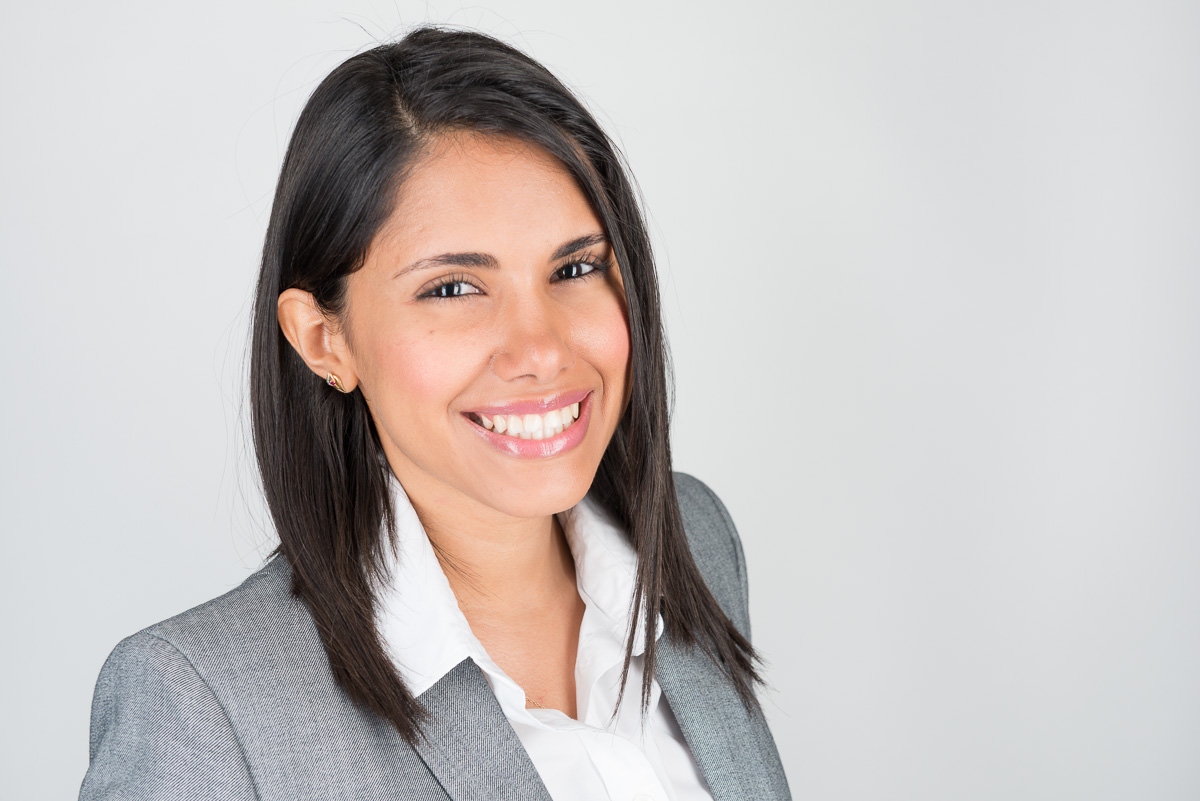
Generate a perfectly sized, compliant Indian passport photo in seconds. Meets all 2026 MEA specifications for the Passport Seva Portal and PSK appointments. Pure white background, correct head ratio, instant JPEG download — no account required.
Four simple steps to a MEA-compliant 51×51mm photo for your Passport Seva Portal application.
Stand or sit in front of a pure white wall or white bedsheet backdrop. Wear dark or mid-tone coloured clothing — no white clothing. Ensure you are evenly lit with no shadows on your face or the background.
Use the tool above to upload your photo or take one with your device camera. Our tool automatically detects your face and applies the correct 51×51mm square crop with the head positioned at the correct 25–35mm ratio.
Check the preview: pure white background, no shadows, eyes open and looking at camera, neutral expression, no glasses, hair not covering the face, and no head coverings (unless religious). Clothing should not be white.
Download your JPEG file for digital upload to passportindia.gov.in (Passport Seva Portal), or take the file to a print shop for 4 physical copies for your PSK appointment.
The official MEA and Passport Seva Portal specifications for Indian passport photos.
India's Ministry of External Affairs (MEA) sets the official photo specifications for all Indian passport applications, whether filed through the Passport Seva Portal (passportindia.gov.in), at a Passport Seva Kendra (PSK), at an Indian Passport Seva Laghu Kendra (PSLK), or at Indian consulates abroad for Non-Resident Indians (NRIs). The Indian passport photo standard differs from most other countries in two important ways: the photo is square (51×51mm, not the rectangular 35×45mm used by most of the world), and the background must be pure white only — not off-white, cream, or light grey.
The 51×51mm dimension is the same as the US 2×2 inch standard (within rounding), which means Indian-American and NRI applicants in the United States can often have photos taken at US passport photo services if they specify pure white background and the Indian 4-print requirement. However, US passport services default to allowing light grey backgrounds, so always specify pure white explicitly.
A commonly overlooked but critical rule is the clothing colour restriction. Indian passport photo rules explicitly prohibit white clothing because a white-clothed subject against a white background makes it impossible to distinguish the applicant's shoulders and torso in the image. This causes both human officers and automated systems to have difficulty determining facial boundaries. Always wear a dark or mid-tone coloured outfit for your Indian passport photo session.
| Requirement | Specification | Notes |
|---|---|---|
| Photo dimensions | 51mm × 51mm (2×2 inches) | Square format — not rectangular |
| Head height | 25–35mm (chin to crown) | 50–70% of photo height |
| Background | Pure white only | No off-white, cream, or grey |
| Clothing | No white clothing | Blends with background — rejected |
| Expression | Neutral, mouth closed | No smiling, no frowning |
| Eyes | Open, looking directly at camera | No squinting, no red-eye |
| Glasses | Not permitted | No prescription or non-prescription glasses |
| Head covering | Not permitted (religious exceptions apply) | Face must be fully visible |
| Photo age | Within last 6 months | Current likeness required |
| Lighting | Even, no shadows on face or background | No flash glare |
| Hair | Must not cover face or eyes | Hair pinned back if necessary |
| Print quantity | 4 identical prints for PSK | Matte or semi-gloss photo paper |
| Digital upload | JPEG, 10KB–1MB, 200×200px minimum | For Passport Seva Portal |
White or very light clothing — including white shirts, white sarees, or any white top — is not permitted in Indian passport photos. This is one of the most common causes of photo rejection at PSK appointments. Plan to wear clothing in dark blue, navy, black, grey (mid-tone), red, green, or any clearly non-white colour.
For the e-passport (chip-embedded biometric passport) program that India has been progressively rolling out, the same photo specifications apply. The e-passport chip stores your biometric data including the facial image from your passport photo, so compliance with MEA specifications is especially important for accurate facial recognition matching at automated border control gates.
Tatkal (urgent) passport applications use the same photo specifications as regular applications — there is no separate photo standard for tatkal. The difference is in the processing speed and the additional fee, not the photo requirements.
How to upload your photo to passportindia.gov.in for online passport applications.
The Passport Seva Portal is the official online platform operated by India's Ministry of External Affairs for passport applications. The portal allows you to fill out and submit your application form, upload your photo, and book your PSK appointment — all online. Here is how to handle the photo upload step correctly.
Visit passportindia.gov.in and register for an account using your email address and mobile number. Log in to access the application portal. First-time users will need to complete the registration process and verify their email.
Select "Apply for Fresh Passport" or "Re-issue of Passport" as applicable. Choose the application type — 36-page or 60-page booklet. For tatkal applications, select the tatkal option. Begin filling out the application form with your personal details, address, and travel history.
Within the application form, find the "Enclosures" or "Documents Upload" section. The photo upload field accepts JPEG files only. File size must be between 10KB and 1MB. The system will reject files outside this range — our tool is designed to export files within this specification.
Download your photo from our tool above. The file will be exported as a JPEG within the 10KB–1MB size range. Click the upload button on the portal, select your file, and confirm. The portal will display a thumbnail preview — verify that the face is centred, the background is pure white, and the head occupies the correct proportion of the image.
After uploading your photo and completing all sections of the form, submit the application. You will receive an Application Reference Number (ARN). Use this ARN to book your PSK appointment. Note your appointment date, time, and location — and prepare your 4 physical photo prints for the appointment itself.
The physical photos you bring to your PSK appointment should be from the same session as the digital photo you uploaded to the portal. PSK staff may compare your physical photos to the uploaded image. Using photos from different sessions — even if both are individually compliant — can cause questions at the appointment. Take all your photos in one session and use the same crop for both digital and print.
Both countries use a 2×2 inch square format, but the rules differ in important ways.
At first glance, the Indian and US passport photo standards appear identical — both are 51×51mm (2×2 inches). This leads many NRIs and Indian-Americans to assume that a US State Department-compliant photo is automatically acceptable for an Indian passport application. This is not always the case. There are three meaningful differences.
The key takeaway: if you have your photo taken at a US passport photo service (Walgreens, CVS, FedEx, etc.) for an Indian passport application, confirm that the background will be pure white (not off-white), that you are wearing non-white clothing, and that you will receive 4 prints rather than the standard 2. Our tool allows you to produce a photo that meets the stricter Indian standard while physically resembling a US 2×2 format.
Overseas Citizen of India and diaspora applications use the same 51×51mm standard.
The Overseas Citizen of India (OCI) card is India's long-term multi-entry visa scheme for foreign nationals of Indian origin and their spouses. OCI applications — whether for fresh registration or renewal — use the same 51×51mm pure white background photo specifications as standard Indian passport applications. There is no separate photo standard for OCI cards.
US-based Indian citizens or OCI applicants apply through the Indian consulate or embassy in their jurisdiction (New York, Washington DC, Houston, San Francisco, Chicago, or Atlanta). The same MEA photo specifications apply — 51×51mm, pure white background, no white clothing, 4 prints. Our tool is specifically set up for the correct Indian spec regardless of where you are applying from.
UK-based Indian passport and OCI applicants apply through the Indian High Commission in London or the Consulates in Birmingham and Edinburgh. The photo requirements are identical to the Indian domestic standard — 51×51mm, pure white background. UK-based Indian passport photo services may default to the UK 35×45mm format, so always specify the 51×51mm Indian format explicitly.
Indian passport and OCI applications in Australia are processed through the Indian High Commission in Canberra or consulates in Melbourne, Sydney, Adelaide, Brisbane, or Perth. The Indian 51×51mm pure white standard applies — not the Australian 35×45mm standard. If visiting an Australian photo service, specify the Indian square format explicitly.
The Passport Seva portal is accessible globally, and the same photo upload requirements (10KB–1MB JPEG) apply regardless of where you are applying from. Download your photo from our tool and upload it to the portal directly — the tool produces the correct file whether you are in Mumbai, New York, London, or Sydney.
What to double-check before your Passport Seva Kendra appointment to avoid delays.
The most common PSK photo rejection in 2026. India requires pure white — not cream, ivory, off-white, or light grey. Many home photos submitted on a white wall end up slightly yellow or grey due to lighting. Use a proper white background card or sheet behind you, and avoid warm-toned lighting which will make white appear cream.
A very common and easily avoided rejection. If your clothing blends into the white background, PSK staff will reject the photo immediately. Check your photo carefully — even light pastel colours that appear almost white can cause issues. Wear clearly coloured clothing in dark blue, black, grey, or any other non-white shade.
Photos taken more than 6 months before your application date will be rejected. Staff at PSK centres are trained to compare your live appearance against your submitted photo. If the photo appears significantly older than your current appearance, it may be flagged even within the 6-month window.
Photos submitted in a rectangular format (35×45mm) instead of the required square 51×51mm are rejected. This commonly happens when NRIs have photos taken at a foreign passport photo service without specifying the Indian square format. Always specify Indian format explicitly, or use our tool which is preset to the correct dimensions.
Glasses are not permitted in Indian passport photos as of the MEA's biometric requirement updates. This includes prescription glasses that the applicant normally wears daily. Remove all eyewear before taking your photo and before attending your PSK appointment.
Hair that falls across the face, covers an eye, or obscures the forehead will cause rejection. Tie back long hair or ensure it is fully behind the shoulders before taking your photo. Fringes that completely cover the forehead may also be questioned at PSK appointments.
Smiling, raised eyebrows, or any visibly non-neutral expression is not accepted in Indian passport photos. Maintain a relaxed, neutral expression with your mouth gently closed. Do not tilt your head — keep it perfectly level and face directly toward the camera lens.
Shadows on the face (from harsh directional lighting) or on the background (from standing too close to a wall) are a technical rejection. PSK document checkers look for shadow-free images. Use our tool's preview to verify no shadow is visible before downloading and printing.
Our detailed requirements hub covers every MEA specification, the Passport Seva Portal upload guide, PSK appointment checklist, OCI card requirements, and tips for Indian applicants abroad.
View Full Requirements →Answers to the most common questions about Indian passport photo requirements.
Indian passport photos must be 51mm × 51mm — a perfect square, equivalent to approximately 2×2 inches. This square format sets India apart from most other countries that use the rectangular 35×45mm format. The head height within the photo must measure 25–35mm from chin to the top of the head. All applications submitted through the Passport Seva Portal and PSK appointments require this exact 51×51mm specification.
India's Ministry of External Affairs requires a pure white background for passport photos to ensure accurate biometric facial detection and comparison in the automated systems used at Passport Seva Kendras and at automated border control. Pure white provides the maximum contrast against any skin tone and ensures clean face segmentation. Off-white, cream, or grey backgrounds are explicitly not accepted because they can cause processing errors in automated face detection systems.
No. White or near-white clothing is explicitly prohibited in Indian passport photos. Because the background must be pure white, white clothing makes it impossible to distinguish the applicant's shoulders and torso outline — creating an indistinct boundary between the person and the background. This causes rejection at PSK appointments. Wear clearly non-white clothing in dark blue, black, grey, navy, red, green, or any mid-to-dark colour.
Log in to passportindia.gov.in and start or continue your passport application. Navigate to the photo upload section within the application form. Upload a JPEG file between 10KB and 1MB in size. Our tool exports photos within this specification — download and upload directly. Ensure the preview shows a pure white background, centred face, and correct proportions before submitting the application.
For a Passport Seva Kendra appointment you need: your Application Reference Number (ARN) and appointment confirmation, original identity documents plus self-attested photocopies (Aadhaar, PAN, address proof, birth certificate, etc.), and four identical 51×51mm passport photos on pure white background printed on matte or semi-gloss photo paper. Arrive at least 15 minutes before your appointment and proceed through document verification, biometric capture, and photo verification counters in sequence.
You need four identical 51×51mm passport photos for a PSK appointment. All four must be from the same photography session, on pure white background, taken within the last 6 months. Additionally, your digital photo uploaded to the Passport Seva Portal should be from the same session as your printed photos for consistency during document verification at the PSK.
The Passport Seva Portal accepts JPEG photos between 10KB and 1MB in file size. The image must be at least 200×200 pixels and ideally square (1:1 aspect ratio) matching the 51×51mm physical format. Our tool automatically exports a file within this size range. Do not use PNG, BMP, TIFF, or other formats — only JPEG is accepted by the portal.
Yes. Overseas Citizen of India (OCI) card applications require the same 51×51mm pure white background photo specifications as Indian passport applications. There is no separate photo standard for OCI. Whether you are applying for fresh OCI registration or renewal, and whether you are applying from within India or from abroad through an Indian consulate, the same MEA photo specifications apply. Use our tool to generate a compliant photo regardless of your location.
Generate compliant photos for 60+ countries — same free tool, automatically applied country specs.
Our main passport photo hub supports 60+ countries. Generate, crop, and download compliant passport photos for any country in seconds — free, no account required.
Open Main Tool → Requirements Hub →Connect with a professional photographer near you for a studio-quality Indian passport photo session — pure white background, correct lighting, 4 prints ready for your PSK appointment.
Post a Job Browse Photographers